Your fiduciary agent is preparing a procedure, an employee needs to attach documents and the director needs to follow the response. Who has access to what, and who signs? MyGuichet.lu facilitates collaborative work, provided that technical access is not confused with a mission or legal authority. Take the time to build an organisation that remains understandable when someone leaves or when changing firms.
The framework to check
A role in a professional space does not replace the company's representation rules or the mandates required for a procedure. Some services require certification or specific access. Features evolve: consult the official help at the time of assignment. The organisational advice presented here must be adapted to your company's confidentiality and data protection obligations.
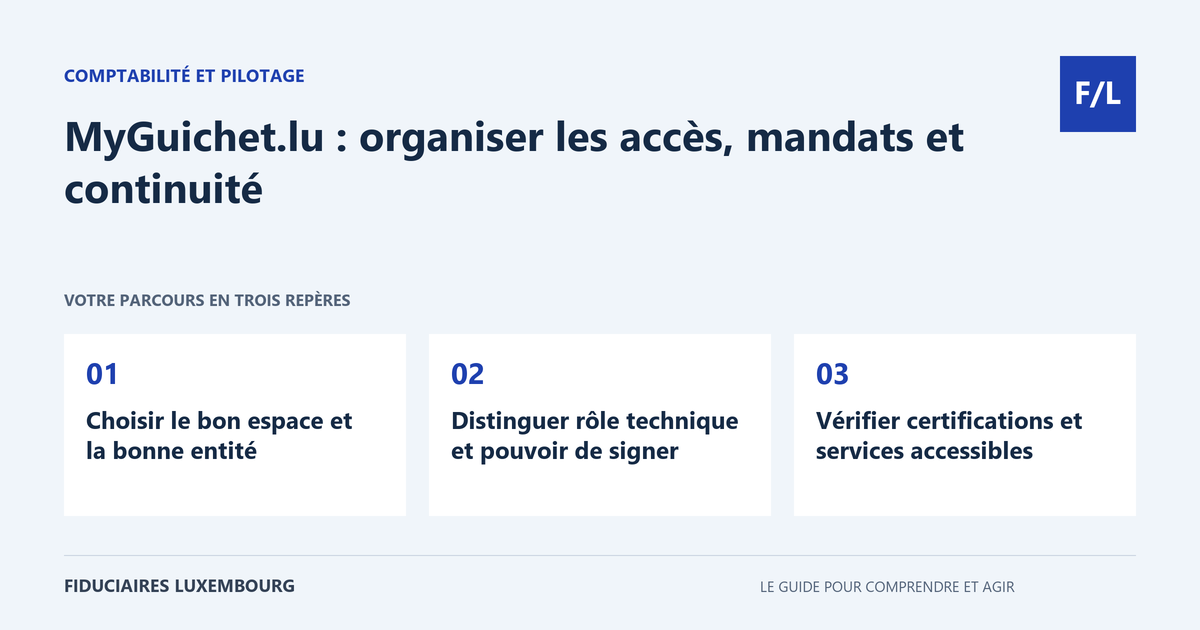
Choosing the right space and the right entity
A MyGuichet.lu professional space relates to a professional activity or an organisation; it is distinct from the private space of the person logging in. Check the name, references and entity concerned before starting a case. Where several companies have similar names, a clear designation limits errors involving documents and recipients.
The official help provides for the possibility of several spaces for the same company, for example to organise different activities or users. This choice must meet a genuine need. Too many poorly documented spaces make cases difficult to find. Prepare an inventory stating their purpose, administrator and the procedures they contain, then keep it in your internal documentation.
Distinguishing a technical role from signing authority
The administrator manages, among other things, users and the space profile. Manager and non-signatory roles have different possibilities. However, do not infer from the name of a role that confidentiality is limited solely to the cases entrusted: Guichet.lu help specifies that invited persons may access the information and documents in the space. Review this scope before every invitation.
The authentication and signature solution identifies a person; it does not in itself constitute proof of all their authority for the company. For each formality, establish who prepares, who checks, who signs and who submits. Keep the necessary mandates along with their scope and period of application. A service contract does not automatically meet all the requirements of a public authority.
Checking certifications and accessible services
Creating a space does not activate all services. Some procedures require prior certification or particular conditions. Consult the information sheet for the relevant service before preparing a tight timetable. Note the access steps and supporting documents expected, then check that the person responsible for the procedure actually has the useful feature, without entrusting them with real operations simply for testing.
The CCSS offers access by business activity areas and options specific to representatives. Its system distinguishes, in particular, between employers using paper forms and those using SECUline. Do not assume that new MyGuichet access automatically replaces the existing reporting process. The SECUline system and consultation services may have complementary roles depending on your situation.
Following the procedure through to the response
One person must be able to find the case, its status and the messages received. Provide for a simple rule: after submission, retain the available proof, check receipt and monitor any requests for additional information. A saved document or prepared draft does not prove that a formality has been completed. Follow-up must specify what remains to be done and the date of the next check.
Also organise notifications and absences. An email address checked by only one person can leave a request unanswered during leave. Define an authorised backup contact and a method for sharing useful information. Email alerts help with follow-up, but the administrative case and its communications must continue to be checked by the responsible person. Archive final documents in the company's filing system.
Reviewing rights when the organisation changes
When someone joins, do not grant the same rights merely by copying those of a colleague. When someone leaves, changes assignment or changes fiduciary agent, review the relevant access, mandates and certifications. The end of a commercial contract does not necessarily remove all technical access. Document who made the change and what was retained to ensure follow-up of ongoing cases.
Prepare the handover before the sole administrator leaves. Periodically review active users, forgotten spaces and follow-up responsibilities. The guide personal data exchanged with a fiduciary agent complements this reflection on confidentiality. The method should enable the director to answer simply: who can see our documents today, and for which assignment?
The table for taking action
| Question | To record | Check |
|---|---|---|
| Which entity? | Exact space and references | Avoid mixing up companies |
| Who is involved? | Preparation, checking, signature | Separate access and authorities |
| Which service? | Certification or mandate required | Features actually accessible |
| Who follows up? | Responsible person and backup | Receipt, messages and deadlines |
The non-signatory role is not a separate confidential space
Fictitious example: a director wishes to invite an employee to prepare a single procedure. The space also contains other professional documents. Before sending the invitation, they check the scope of access described by the official help and find that the non-signatory role is not intended to hide these documents. They therefore review the organisation of the spaces or the method of collaboration suited to the service, then confirm responsibilities. The example illustrates an access decision to be made before sending the invitation, without recommending the systematic creation of a new space.
Your preparation checklist
- List spaces and entities.
- Check the visible scope before inviting someone.
- Assign a role suited to the assignment.
- Check authorities and mandates separately.
- Prepare the necessary certifications.
- Follow up on submission and communications.
- Provide for an authorised backup contact.
- Review rights whenever there is a change.
Frequently asked questions
Is a manager automatically a representative of the company?
The technical role and legal authority are distinct. Check the requirements of the procedure and the applicable mandates.
Does non-signatory mean no access to other documents?
No. The official help indicates visibility over the information in the space for invited users; examine this scope before adding them.
Should you share your authentication product with the fiduciary agent?
Organise individual access and appropriate mandate or collaboration mechanisms. Sharing personal credentials compromises traceability.
Useful terms in this guide
Questions to ask the professional
- What access is required for this specific assignment?
- Which certification or mandate is still missing?
- Who will follow up on responses during absences?
To clarify the assignment to be entrusted, also consult our accounting section.
And for your situation?
Prepare the list of your spaces and entrusted procedures. Search our directory for a professional to organise access and responsibilities with your team, based on the services actually used.
Sources and verification
References consulted on 20 September 2026. Official procedures specify the applicable conditions and exceptions.
- Guichet.lu — créer un espace professionnel
- Guichet.lu — utilisateurs et rôles d’un espace professionnel
- CCSS — accès professionnels et mandataires
This guide explains a general process. The applicable rules depend on your situation; it does not constitute personalised advice. Report a correction.
Your next step
A specific need deserves the right contact
Accounting, taxation, company formation or payroll: prepare your questions, then search the directory for the professional who can review your situation. Check their assignments and status before entrusting them with your file.