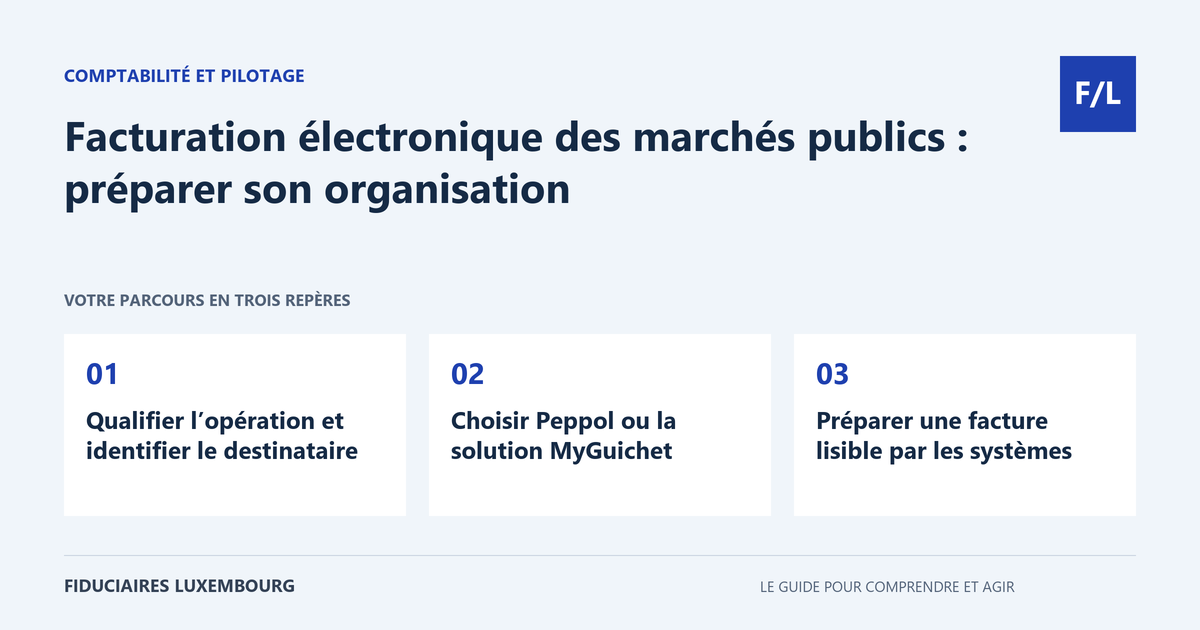
Your public-sector client asks you for an electronic invoice and your software already produces a PDF. This is not necessarily the same thing. In the public procurements concerned, the invoice must be structured and transmitted through an authorised channel. Here is how to prepare the data, choose the appropriate route and prevent an invoice that is substantively correct from being blocked upon receipt.
The framework to check
In the context of the public procurements and concession contracts concerned, the obligation to issue a compliant electronic invoice has applied to all economic operators since 18 March 2023, subject to the exclusions provided for. It also applies to credit notes and does not depend on a general minimum invoice amount. This regime must be distinguished from projects to extend it to private business-to-business transactions and from obligations specific to other countries.
Determine the nature of the transaction and identify the recipient
Start with the order or contract. A small service ordered directly by a public body may fall within the system even without an open tender. Request the invoicing instructions, the recipient’s identity and the references required for processing. A user department and the entity receiving the invoice are not always referred to in the same way in day-to-day exchanges.
The official documentation provides for specific exclusions, notably for certain procurements linked to development cooperation or representations abroad. Check the relevant case without inferring an exemption for all small invoices. Where the client provides you with a receiving identifier, retain its source and have any inconsistency confirmed before sending. The quality of the initial data prevents many corrections.
Choosing Peppol or the MyGuichet solution
The Peppol network enables the routing of structured documents between participants. If your software or service provider connects you to it, check the options for issuing, monitoring and retrieving documents. Compare these functions with your actual volume: an organisation that invoices frequently does not have the same practical needs as an occasional supplier.
For operators who are not connected, MyGuichet.lu offers, in particular, manual data entry and the submission of an electronic document that is already compliant. Choose the process corresponding to the file you have. Submitting a non-compliant document in the wrong form does not turn it into a valid invoice. The MyGuichet access and mandates guide helps organise the people who prepare and transmit documents.
Preparing an invoice that systems can read
A structured document contains data organised according to an expected format. It must also correctly describe the transaction: supplier, recipient, number, dates, line items, amounts and VAT treatment. Reconcile these items with the purchase order and proof of performance. A polished visual presentation does not correct a missing reference or incorrect tax classification.
Check the accepted format versions before configuring the export. In 2026, the official portal indicates that older XRechnung versions will be discontinued; however, its notice gives different dates in the heading and the text. Have the applicable version and timetable confirmed by the department or service provider, rather than retaining an old setting solely on the basis of the heading. Technical compliance must be monitored over time.
Checking transmission, rejection and correction
Keep the transmitted invoice and the available tracking messages. Distinguish between a document that has been created, sent, received and processed. A favourable technical status does not necessarily mean that the purchasing department has approved the service or ordered payment. Assign rejection follow-up to a person who can understand the message and correct the relevant data.
Before resending an invoice, check whether it has already been received in order to avoid duplicates. Where a credit note is necessary, link it to the relevant invoice and also use the compliant channel. Do not silently amend a document already issued to remove the history. The audit trail must make it possible to track the order, service, invoice, correction and payment.
Preparing for changes without assuming a law has been adopted
As at 20 September 2026, parliamentary file 8815 is still presented as a bill that has been tabled. It aims to extend the system to domestic business-to-business transactions. The proposed timetable mentions receipt in 2028 and progressive issuance in 2028 and 2029. These dates must be presented as proposals to monitor, without turning them into obligations already applicable to all private invoices.
You can nevertheless prepare customer data, references, filing and your tool’s export functions. This preparation already serves public-sector invoicing. For the general content rules, maintain a clear definition of the sales invoice and the VAT treatment of each transaction. The objective is to make the process reliable, from the order through to payment reconciliation, whatever channel is used.
The table for taking action
| Item | To check | Evidence to retain |
|---|---|---|
| Scope | Relevant procurement or concession | Order and instructions |
| Recipient | Identifier and references | Information confirmed by the client |
| Document | Format, data and VAT | Structured invoice transmitted |
| Tracking | Receipt, rejection or correction | Messages and action history |
A low-value invoice may follow the same route
Fictitious example: a company performs work worth 600 euros under a relevant public order. It must not assume that the amount allows for a simple email submission. It obtains the useful references and uses the data-entry option offered on MyGuichet.lu if that solution suits its situation. After transmission, it retains the file documents and monitors the messages received. The amount serves only to illustrate the absence of a general exemption linked to a small invoice; it does not determine the VAT treatment.
Your preparation checklist
- Determine the nature of the order and any possible exclusions.
- Obtain the correct recipient and its references.
- Choose Peppol or the appropriate form.
- Check the data, format and version.
- Check the VAT treatment.
- Keep the document and transmission tracking information.
- Handle credit notes and rejections without duplicates.
- Monitor legislative and technical developments.
Frequently asked questions
Is a PDF sent by email sufficient under this system?
No. A compliant electronic invoice routed through an authorised channel, Peppol or the designated MyGuichet solutions, is required.
Is a credit note concerned?
Yes. The document and transmission obligations also apply to the relevant credit notes.
Does the B2B project already impose this route on all businesses?
As at 20 September 2026, file 8815 is still a bill. Its adoption and timetable must be monitored through official sources.
Useful terms in this guide
Questions to ask the professional
- Does our software produce a format that is currently accepted?
- Who handles rejection messages?
- How do we reconcile the transmitted invoice with its payment?
To clarify the assignment to be entrusted, also consult our accounting section.
And for your situation?
Prepare an example of a public order and describe your current invoicing process. Search our directory for a professional to organise accounting checks and coordinate the necessary settings with your software provider.
Sources and verification
References consulted on 20 September 2026. Official procedures specify the applicable conditions and exceptions.
- Guichet.lu — facture électronique dans un marché public
- Portail E-facturation — évolution des versions XRechnung
- Portail E-facturation — projet de loi B2B déposé en juillet2026
- Chambre des députés — dossier8815
This guide explains a general process. The applicable rules depend on your situation; it does not constitute personalised advice. Report a correction.
Your next step
A specific need deserves the right contact
Accounting, taxation, company formation or payroll: prepare your questions, then search the directory for the professional who can review your situation. Check their assignments and status before entrusting them with your file.