Your data have been validated on eCDF: have you filed the annual accounts? Not necessarily yet. Preparing structured data and filing with the register are two separate steps. The most time-consuming error is often very simple: selecting the wrong version or forgetting a document. Here is how to prepare a verifiable filing package without losing the link to the approved accounts.
The framework to check
The eCDF process concerns entities subject to the corresponding rules of the standard chart of accounts; exceptions exist, particularly depending on the accounting regime. The package and the documents to be published depend on the entity's obligations. Under the general regime for companies, filing takes place within one month of approval and no later than seven months after the financial year-end. IT checks do not replace either the required approval or responsibility for the content.
Define the process applicable to the entity
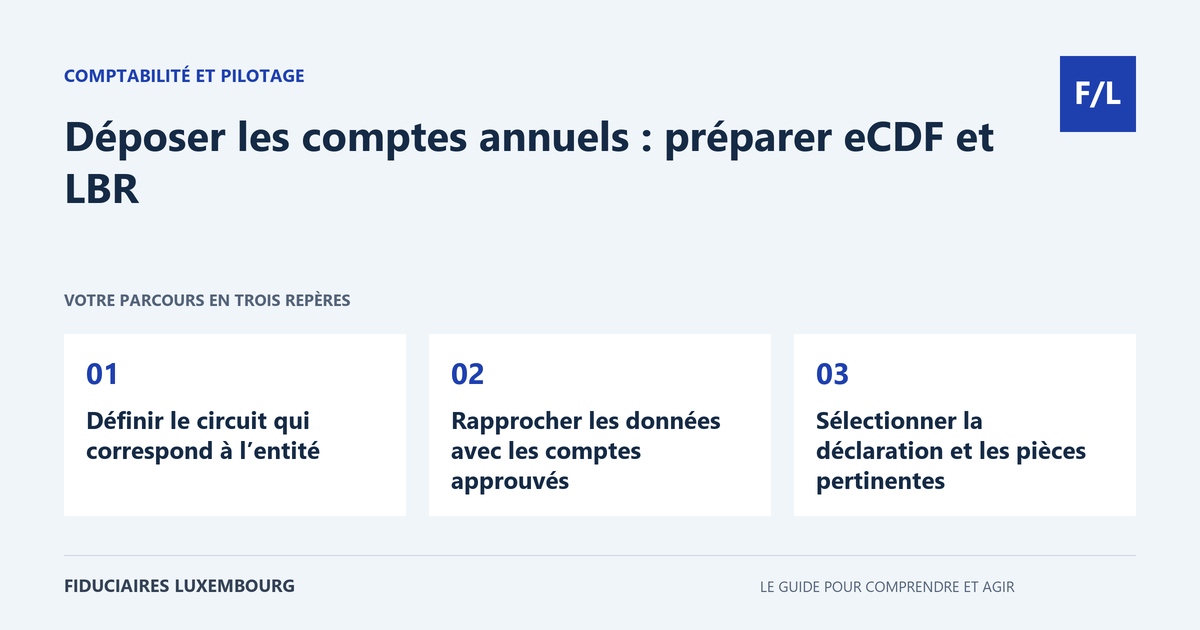
Before entering any data, note the RCS number, accounting period and applicable regime. Ask whether the accounts are processed through eCDF and which documents supplement the structured data. Do not infer the procedure from the trade name alone or from past practice. A holding company is not automatically exempt from the standard chart of accounts because it is referred to as a Soparfi.
Check access rights and mandates sufficiently early. The person preparing the figures is not necessarily the person authorised to file for the entity. Ensure that a replacement can act within an authorised framework in the event of absence. Improvised sharing of a personal means of authentication is not a sound organisational solution.
Reconcile the data with the approved accounts
Prepare a control sheet setting out the financial year, currency, result and main totals. Compare it with the version used for the approval of the accounts. If a new trial balance has been produced since then, examine why and what consequences it entails. Filing must not become a stage at which the accounts are silently amended.
Arithmetic and logical checks identify inconsistencies, but matching totals do not prove that line items have been correctly classified. Review unusual movements and differences between structured data and the notes. Keep a list of corrections with their justification so that the final package is understandable without reconstructing all exchanges.
Select the relevant declaration and documents
In the LBR process, check the financial year dates and the language of the package. The documentation states that the most recent eCDF declaration may be proposed by default. Therefore check your selection rather than assuming that the first line corresponds to the accounts to be filed. This is particularly useful when a firm manages several financial years or corrections.
Prepare the required supporting documents, such as the notes and applicable reports, in accordance with the register's format requirements. Distinguish the sections intended for publication from other documents. Do not automatically attach the internal year-end closing file, personal contact details or correspondence with the client: these are working documents that do not necessarily have to be published.
Review the package as a whole
Before submission, compare the headings, figures, dates and statements across all documents. Open the generated files, not just the source document used to create them. A conversion may shift a page, hide a note or leave a previous financial year in the footer. The reader of the filed package must see a complete and consistent version.
Assign this review to an identified person and keep their check record. For a simple package, a short dated list is sufficient as an internal method; it must not be presented as a certification. If a substantive doubt remains, have it reviewed before submission rather than relying on the portal to determine the correct accounting treatment.
Track acceptance and manage a correction
Keep the submitted copy, the receipt and the processing result. Check the documents actually filed and the publication notice where applicable. Keep the status as “to be followed up” as long as a correction request remains open. Payment of fees or a screenshot of the draft must not be used as the sole proof of completion.
In the event of rejection, identify the reason: file, period, identity, data or missing document. If an error is discovered after filing, have the appropriate procedure and its implications for previous decisions determined. Maintain the relationship between versions. The RCS and RESA guide helps distinguish registration, filing and publication in order to organise this follow-up.
The practical table for taking action
| Item | Before submission | After processing |
|---|---|---|
| Entity | Exact number and company name | Package linked to the correct company |
| Financial year | Consistent start, end and duration | Expected period visible |
| Version | Consistent with approved accounts | Final documents retrieved |
| Data | Totals and line items reconciled | No discrepancy from the retained copy |
| Documents | Required notes and reports included | Readability of the filed package |
| Status | Request actually submitted | Acceptance and follow-up checked |
The latest proposed declaration is not the one to file
Fictional example: a firm prepared a working version, then a correction on eCDF. When filing, the person in charge compares the selected declaration with the approved accounts instead of relying on the default choice. They identify a difference in the result and suspend submission in order to understand its origin. The team identifies the correct version, reconciles the notes and checks the documents before submission. The issue was not an arithmetic imbalance: both sets of data could have been technically consistent. It was comparison with the decision and the final package that made it possible to avoid an unsuitable filing.
Your preparation checklist
- Determine the applicable regime and filing process.
- Check the filer's access rights and authority.
- Identify the approved accounts.
- Reconcile the structured data and the notes.
- Check the financial year, language and selected declaration.
- Open every final file before submission.
- Keep the copy, receipt and result.
- Process corrections until they are resolved.
Frequently asked questions
Does eCDF validation constitute official filing with the RCS?
No. For the entities concerned, the validated data are then used in the filing process with the register.
Does the portal check all accounting quality?
Technical checks do not guarantee the appropriateness of the treatments or compliance of the entire package.
Must the entire year-end closing file be published?
No. The documents to be filed and their disclosure result from the applicable rules. The internal file generally contains other documents.
Useful terms in this guide
Questions to ask the professional
- Which process and documents apply to our entity?
- How do you verify consistency with the approved accounts?
- Who provides us with the evidence and checks any rejections?
To clarify the assignment to be entrusted, also consult our accounting section.
And for your situation?
Gather the approved version, the notes and the financial year identification sheet before requesting filing. To secure this coordination, search our directory for a professional who specifies the checks and evidence included in their assignment.
Sources and verification
References consulted on 20 September 2026. Official procedures specify the applicable conditions and exceptions.
This guide explains a general process. The applicable rules depend on your situation; it does not constitute personalised advice. Report a correction.
Your next step
A specific need deserves the right contact
Accounting, taxation, company formation or payroll: prepare your questions, then search the directory for the professional who can review your situation. Check their assignments and status before entrusting them with your file.